At TSG USA Inc., our mechanical design team regularly holds study sessions on finite element analysis (FEA). Commercial FEA software is often prohibitively expensive for small companies, especially for training purposes. For this reason, we decided to adopt Elmer, an open-source FEA software package, as our learning platform.
Background
Since all team members use Windows PCs, we initially installed Elmer using precompiled binaries. However, we encountered a key limitation:
The Windows binary does not include 3D Adaptive Mesh Refinement (AMR).
Without AMR, it is difficult to evaluate mesh quality and ensure reliable simulation results. Therefore, we decided to build Elmer from source with:
- 3D AMR support
- ElmerGUI
- Parallel computation (OpenMP & MPI)
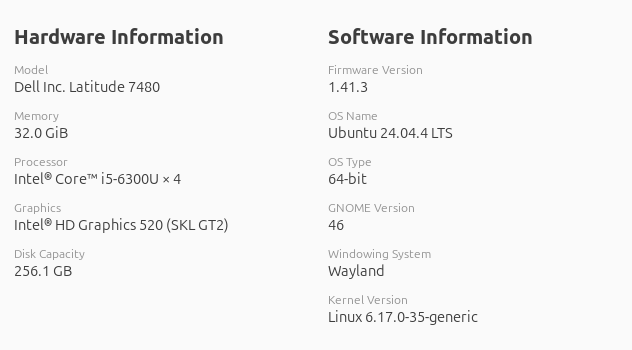
We used Ubuntu 24 LTS installed natively on standalone PCs, since Linux-based build instructions were available and compatible machines were readily accessible.
We also built ParaView from source, because the packaged version produced errors when opening Elmer output .vtu files.
Procedures written in this article follow these references:
- Elmerをコンパイルするシェルスクリプト #WSL2 – Qiita
- elmerfem/compilation_instructions/Ubuntu.md at devel · ElmerCSC/elmerfem
- Install — mmg 5.8.0 documentation
Preparation
To make the installation accessible to all users, we installed everything under /usr/local/ directory.
Installing required packages
First, we installed required packages using apt as follows:
sudo apt install git cmake build-essential gfortran \
     libopenmpi-dev libblas-dev liblapack-dev
sudo apt install libqwt-qt5-dev
sudo apt install libqt5opengl5-dev
sudo apt install qtscript5-dev
sudo apt install libqt5svg5-dev
sudo apt install libmpich-dev libnetcdff-dev \
     libmetis-dev libparmetis-dev libmumps-dev \
     netcdf-bin
sudo apt install lua5.3
Building Elmer Dependencies
We then built and installed required libraries: CSA, NN, MMG, and parMMG. We used the following compiler options throughout.
export CFLAGS="-fPIC  -O2"
export CC=gcc
Building CSA
git clone https://github.com/sakov/csa-c
cd csa-c/csa
./configure --prefix="/usr/local"
make
sudo make install
cd ../..
Building NN (with modification)
git clone https://github.com/sakov/nn-c
cd nn-c/nn/
./configure --prefix="/usr/local"
We edited one line in Makefile:
CFLAGS_TRIANGLE = -O2 -w -ffloat-store
as:
CFLAGS_TRIANGLE = -O2 -w -ffloat-store -fPIC
Then executed:
make
sudo make install
cd ../..
Building MMG
git clone https://github.com/MmgTools/mmg.git
cd mmg
git checkout 4d8232c
mkdir build
cd build
cmake -D CMAKE_INSTALL_PREFIX="/usr/local" \
      -D CMAKE_BUILD_TYPE=RelWithDebInfo \
      -D BUILD_SHARED_LIBS:BOOL=TRUE \
      -D MMG_INSTALL_PRIVATE_HEADERS=ON \
      -D CMAKE_C_FLAGS="-fPIC  -g" \
      -D CMAKE_CXX_FLAGS="-fPIC -std=c++11 -g" ..
make
sudo make install
cd ../..
Building parMMG
git clone https://github.com/MmgTools/parmmg
cd parmmg
git checkout cd8a6e3
mkdir build
cd build
cmake -D CMAKE_INSTALL_PREFIX="/usr/local" \
      -D CMAKE_BUILD_TYPE=RelWithDebInfo \
      -D BUILD_SHARED_LIBS:BOOL=TRUE \
      -D DOWNLOAD_MMG=OFF \
      -D MMG_DIR="/opt/elmer/elmerdependencies" ..
make
sudo make install
cd ../..
Building Elmer FEM
After building and installing the dependencies as shown above, we proceeded to building and installing Elmer.
git clone https://github.com/ElmerCSC/elmerfem.git
cd elmerfem
git submodule update --init
git checkout 4f69f075e
cd ..

mkdir build
cd build

cmake -DCMAKE_INSTALL_PREFIX="/usr/local" \
      -DWITH_MPI=TRUE \
      -DWITH_LUA=TRUE \
      -DWITH_OpenMP=TRUE \
      -DWITH_Mumps=TRUE \
      -DWITH_Hypre=TRUE \
      -DHypre_INCLUDE_DIR="/usr/include/hypre" \
      -DWITH_Trilinos=FALSE \
      -DWITH_ElmerIce=FALSE \
      -DWITH_Zoltan=TRUE \
      -DWITH_MMG=TRUE \
      -DWITH_PARMMG=TRUE \
      -DWITH_NETCDF=TRUE \
      -DWITH_ScatteredDataInterpolator=TRUE \
      -DWITH_ELMERGUI=TRUE \
      -DWITH_QT5=TRUE \
      -DWITH_QWT=TRUE \
      -DWITH_MATC=TRUE \
      -DWITH_PYTHONQT=FALSE \
      ../elmerfem

make
ctest
sudo make install
Note that ctest is optional above.
In the process above we used the following git commit as those were already tried and worked in the following reference. Elmerをコンパイルするシェルスクリプト #WSL2 – Qiita:
- MMG commit:
4d8232c - parMMG commit:
cd8a6e3 - Elmer FEM commit:
4f69f075e
Building ParaView from Source
We encountered errors when opening Elmer output .vtu files with the packaged ParaView, so we built it manually. We referred to the following page. Documentation/dev/build.md · master · ParaView / ParaView · GitLab
Installing dependencies
sudo apt install libgl1-mesa-dev libxt-dev \
     libqt5x11extras5-dev libqt5help5 \
     qttools5-dev qtxmlpatterns5-dev-tools \
     python3-dev python3-numpy libtbb-dev \
     ninja-build qtbase5-dev qtchooser qt5-qmake \
     qtbase5-dev-tools
Building ParaView
git clone https://gitlab.kitware.com/paraview/paraview.git
mkdir paraview_build
cd paraview
git submodule update --init --recursive
cd ../paraview_build

cmake -GNinja \
      -DPARAVIEW_USE_PYTHON=ON \
      -DPARAVIEW_USE_MPI=ON \
      -DVTK_SMP_IMPLEMENTATION_TYPE=TBB \
      -DCMAKE_BUILD_TYPE=Release \
      -DCMAKE_INSTALL_PREFIX="/usr/local" \
      ../paraview

ninja
sudo cmake -P cmake_install.cmake
Testing 3D AMR
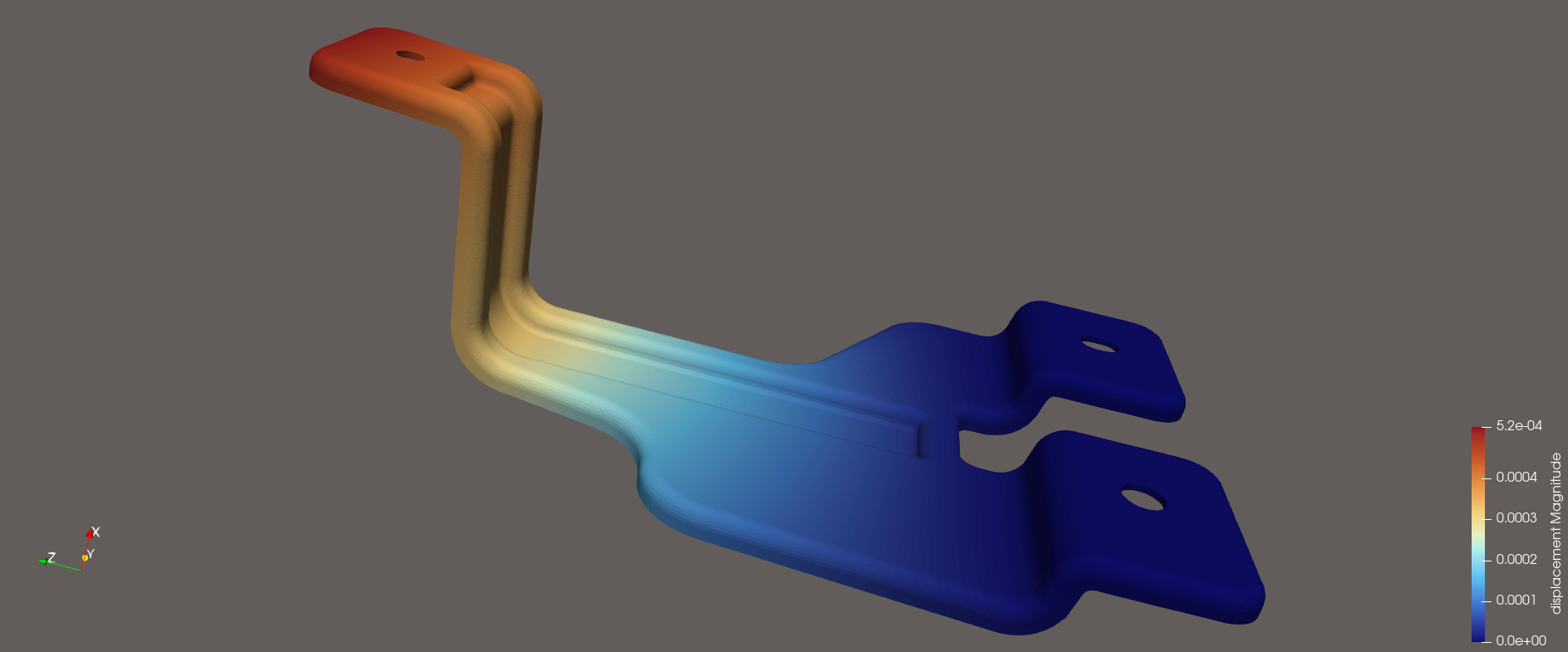
We performed a linear elasticity analysis with AMR enabled. We used a training 3D model created by our mechanical design team. The .sif file used to run the Elmer simulation was as follows:
Header
  CHECK KEYWORDS Warn
  Mesh DB "." "."
  Include Path ""
  Results Directory ""
End

Simulation
! Importance level of output message
! (1 being most important)
! The larger the number is,
! the more verbose output messages become.
  Max Output Level = 6
  Coordinate System = Cartesian
  Coordinate Mapping(3) = 1 2 3
  Simulation Type = Steady state
  Steady State Max Iterations = 6
  Output Intervals(1) = 1
  Solver Input File = bracket.sif
  Post File = bracket.vtu
  Output File = bracket.result
  Convergence Monitor = True
End

Constants
  Gravity(4) = 0 -1 0 9.82
  Stefan Boltzmann = 5.670374419e-08
  Permittivity of Vacuum = 8.85418781e-12
  Permeability of Vacuum = 1.25663706e-6
  Boltzmann Constant = 1.380649e-23
  Unit Charge = 1.6021766e-19
End

Body 1
  Target Bodies(1) = 1
  Name = "Body 1"
  Equation = 1
  Material = 1
End

Solver 1
  Equation = Linear elasticity
  Calculate Stresses = True
  Procedure = "StressSolve" "StressSolver"
  Exec Solver = Always
  Stabilize = True
  Optimize Bandwidth = True
  Steady State Convergence Tolerance = 1.0e-2
  Nonlinear System Convergence Tolerance = 1.0e-7
  Nonlinear System Max Iterations = 20
  Nonlinear System Newton After Iterations = 3
  Nonlinear System Newton After Tolerance = 1.0e-3
  Nonlinear System Relaxation Factor = 1
  Linear System Solver = Direct
  Linear System Direct Method = mumps
  mumps percentage increase working space = 80
  Displace Mesh = True
  Adaptive Mesh Refinement = True
  Adaptive Remesh = True
  adaptive remesh use mmg = True
  Adaptive Coarsening = True
  Adaptive Save Mesh = True
  Adaptive Min H = 0.00018
  Adaptive Max H = 0.0018
  Adaptive Error Limit = 1.3e-4
! Pre smoothing averages nodal error estimates before
! driving adaptive mesh refinement.
! Pre smoothing prevents the mesh from over-
! refinement.
  Adaptive Pre Smoothing = 4
  Adaptive Error Histogram = True
End

Equation 1
  Name = "Equation 1"
  Active Solvers(1) = 1
End

Material 1
  Name = "Structural Steel"
  Poisson ratio = 0.305
  Heat Capacity = 976.0
  Youngs modulus = 210.0e9
  Heat Conductivity = 37.2
  Sound speed = 5100.0
  Density = 7850.0
  Heat expansion Coefficient = 12.0e-6
End

Boundary Condition 1
  Target Boundaries(1) = 145
  Name = "BoundaryCondition 1"
  Displacement 2 = 0
  Displacement 1 = 0
  Displacement 3 = 0
End

Boundary Condition 2
  Target Boundaries(1) = 216
  Name = "BoundaryCondition 2"
  Displacement 3 = 0
  Displacement 2 = 0
  Displacement 1 = 0
End

Boundary Condition 3
  Target Boundaries(1) = 288
  Name = "Press down"
  Normal Force = -10600.61
End
We named this .sif file as “bracket.sif”. To run the simulation with OpenMP, we used the following command:
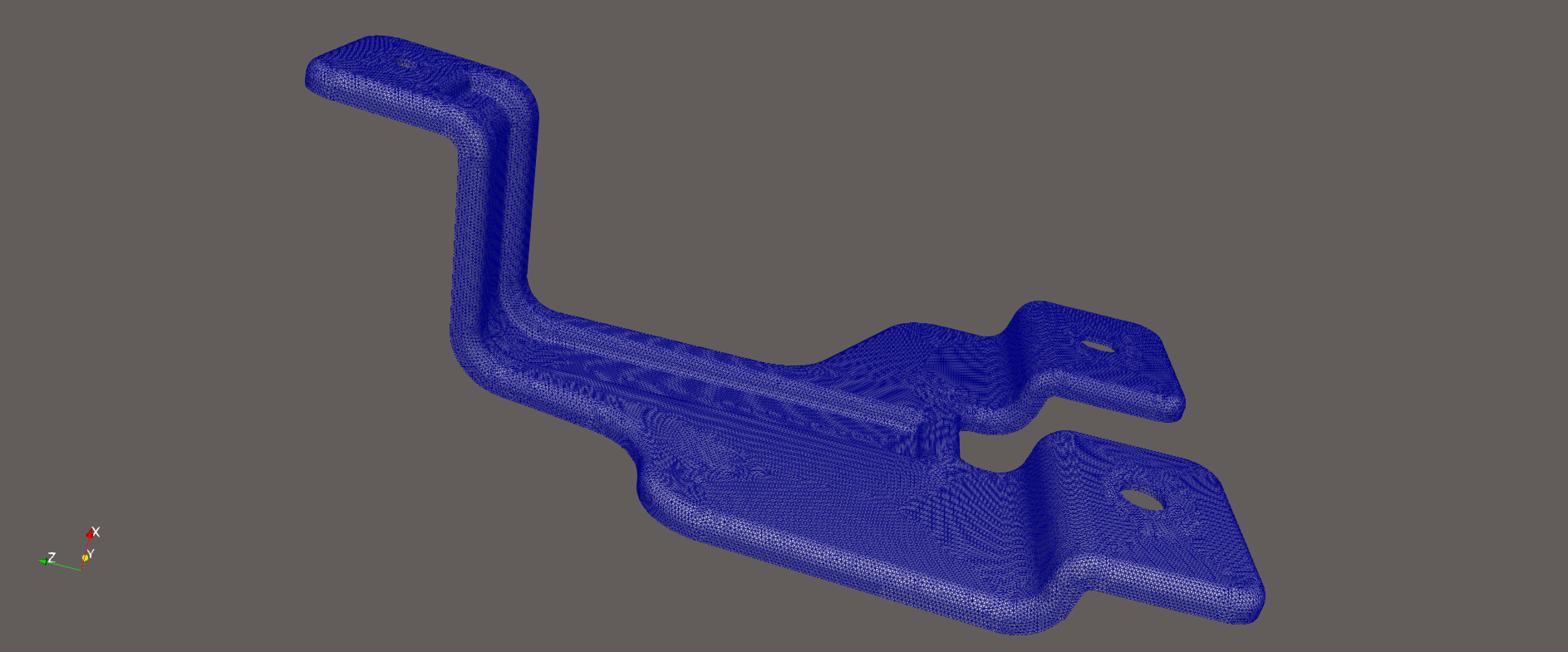
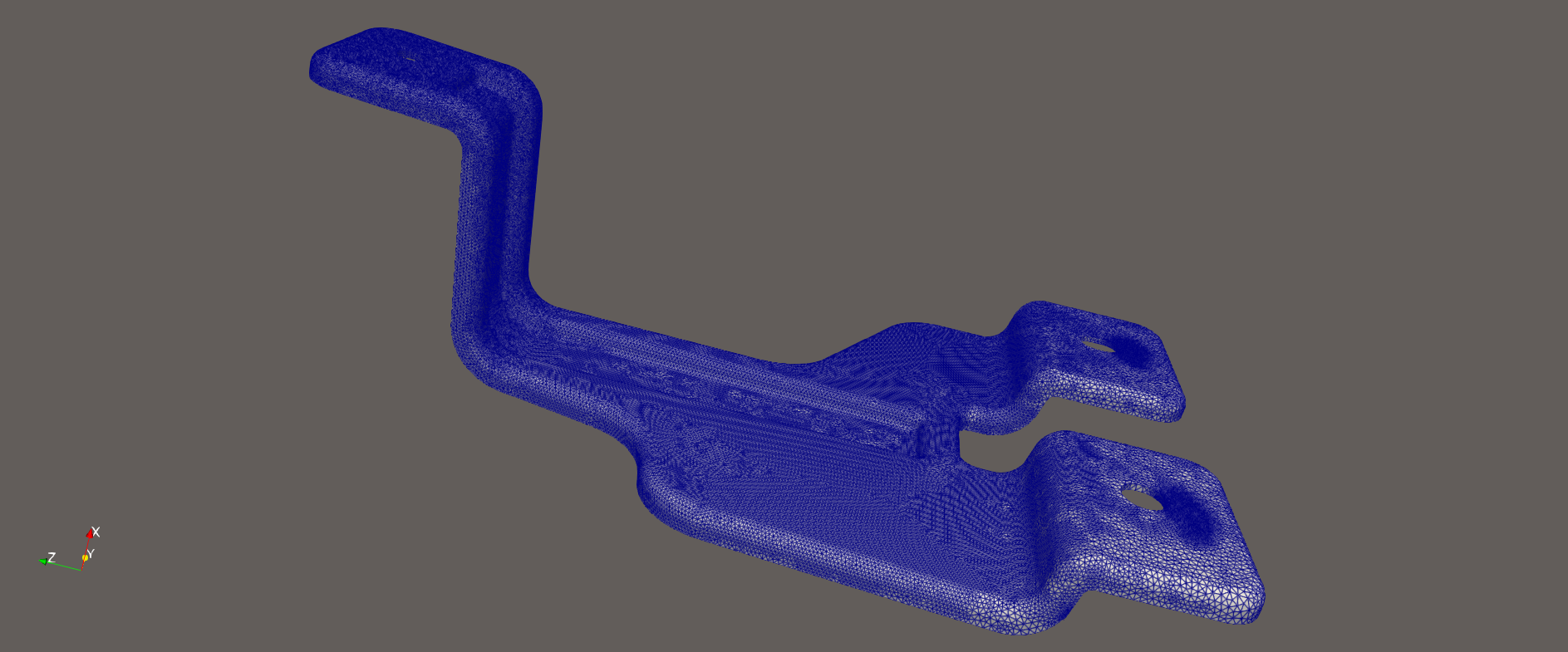
OMP_NUM_THREADS=4 ElmerSolver bracket.sifNote that our laptop had 4 cores in its CPU, thus the number of the OpenMP threads was set at 4. The simulation converged after five remeshing iterations. The meshes before and after AMR are shown in the figures below. These figures are created using ParaView that we built from its source and installed.
AMR Convergence Study
We varied the parameter Adoptive Error Limit in our .sif file and compared results of Max Displacement, Max VonMises, Max Error and Error Estimate obtained from each simulation.
| Adaptive Error Limit | Max Displacement | Max VonMises | Max Error | Error Estimate |
| 1.0e-2 | 5.7e-4 | 6.1e7 | 3.28e-4 | 2.41e-5 |
| 3.0e-4 | 5.7e-4 | 6.1e7 | 2.40e-4 | 2.37e-5 |
| 2.0e-4 | 6.0e-4 | 7.5e7 | 1.50e-4 | 1.23e-5 |
| 1.3e-4 | 6.2e-4 | 7.7e7 | 7.90e-5 | 6.50e-5 |
First, we set a relaxed Adaptive Error Limit, i.e. 1.0e-2, and executed a simulation. Then, for the second simulation, we set slightly tighter Adaptive Error Limit, i.e. 3.0e-4, than the Max Error obtained from the first simulation, i.e. 3.28e-4. We repeated this process and observed how the results of Max Displacement and Max VonMises vary.
Remaining Challenge
While testing ElmerGUI, we noticed that STEP files and STL files could not be opened. After some studies, we learned that this issue was caused by missing linkage with OpenCASCADE (OCC) to ElmerGUI. For this reason, we installed OpenCASCADE using apt:
sudo apt install -y xfonts-scalable \
     libocct-data-exchange-dev \
     libocct-draw-dev \
     libocct-foundation-dev \
     libocct-modeling-algorithms-dev \
     libocct-modeling-data-dev \
     libocct-ocaf-dev \
     libocct-visualization-dev
Then we attempted to rebuild ElmerGUI with the flag:
-DWITH_OCC:BOOL=TRUEHowever, this resulted in CMake errors and the build did not succeed. Thus, our next goal is to properly link OpenCASCADE to ElmerGUI and to enable STEP/STL import in ElmerGUI.
Conclusion
By building Elmer and ParaView from source, we achieved 3D AMR functionality and reliable visualization. This setup provides a powerful and cost-effective FEA learning environment for our team. We hope this guide will be helpful to others working in similar situations.